Pastel Circuit home

GuidesUpdated 2026-11-12

Neon PS5 and Xbox Accessories: Colorways and Gear

If your console setup is going pink, purple or teal, the accessories can match. Here's how to pick colorways that suit a neon room, which charging and audio gear is worth it, and how to check compatibility before you buy.

Fine printThis page has affiliate links. If you buy through them we may earn a commission, at no extra cost to you. Picks are researched from specs and buyer reviews, not tested by us. As an Amazon Associate I earn from qualifying purchases. Full disclosure

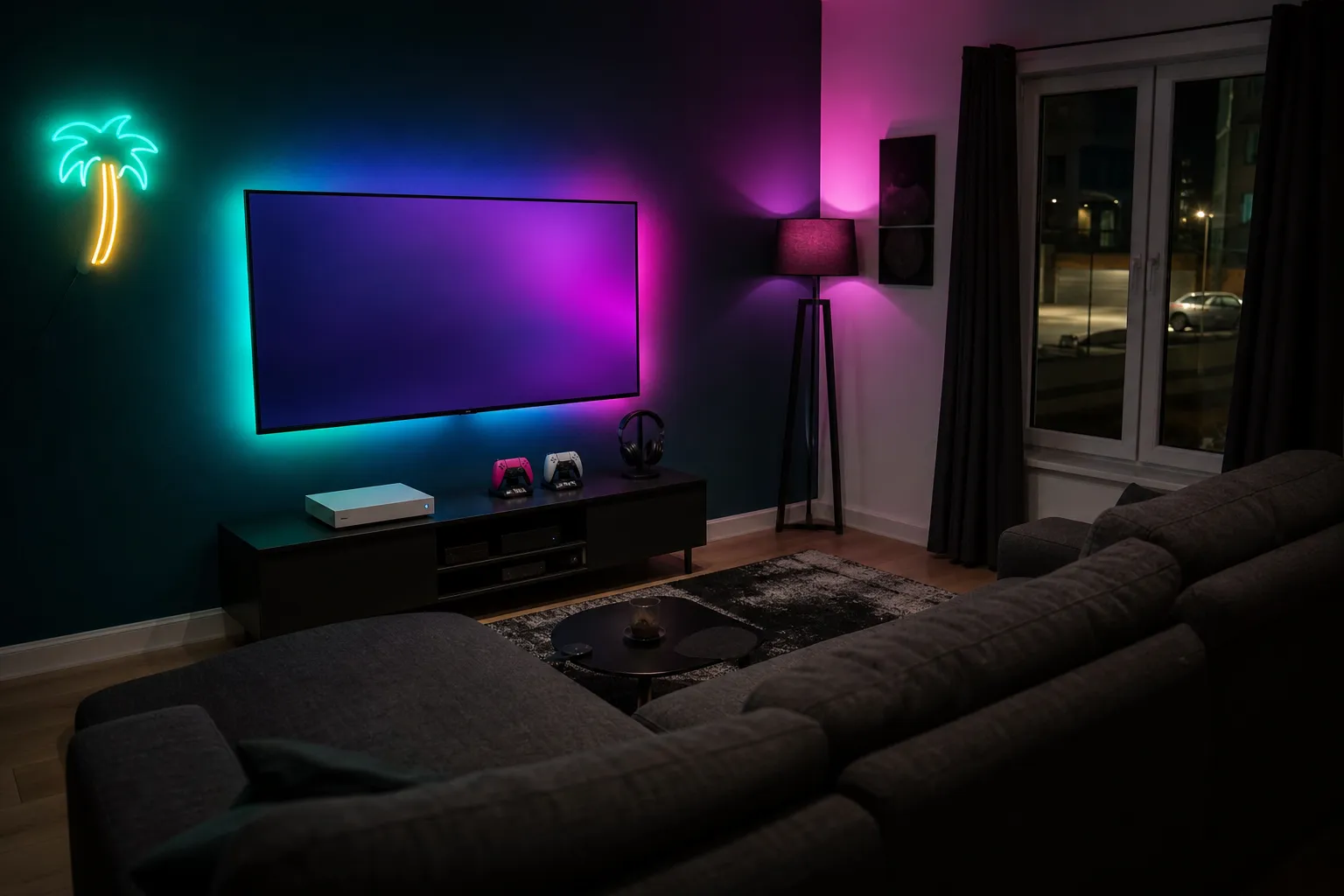
AI concept image of a living-room console corner with a sofa, TV backlighting, controllers on charging docks and a neon signAI concept image123
AI concept image: a generated room styled on the picks below. The items in it are look-alikes, not photos of the exact products.1Govee TV Backlight 3 Lite (camera sync, fish-eye correction)2PlayStation 5 DualSense Charging Station (Sony)3Corsair ST100 RGB Premium Headset Stand (7.1 surround)

The picks

Researched from specs and buyer reviews. We show price bands, not exact prices, because prices move; tap through for today's price and stock.

Gift pick
Illustration

PlayStation DualSense Wireless Controller (Nova Pink)

Sony$50–$100

Official Sony DualSense in Nova Pink, with haptics and adaptive triggers; also works on PC.

Check price at Amazon Checked Nov 12, 2026
Illustration

Xbox Wireless Controller (Deep Pink)

Microsoft$50–$100

Official Xbox controller in Deep Pink, with textured grips, a hybrid D-pad and USB-C.

Check price at retailer Checked Nov 12, 2026
Illustration

PlayStation 5 DualSense Charging Station (Sony)

Sony$25–$50

Sony's own white dock that charges two DualSense controllers; pairs naturally with the pink and purple DualSense colors.

Check price at Amazon Checked Nov 12, 2026
Illustration

PowerA Dual Charging Station for Xbox

PowerAUnder $25

Licensed dock with two rechargeable battery packs and battery doors for Xbox Series and Xbox One controllers.

Check price at Amazon Checked Nov 12, 2026
Illustration

SteelSeries Arctis Nova 7 Wireless Gen 2 (White)

SteelSeries$150+

White multi-platform wireless headset that can mix 2.4 GHz game audio with Bluetooth; a clean fit for white-and-neon setups.

Check price at Amazon Checked Nov 12, 2026
Budget pick
Illustration

Turtle Beach Recon 70 Wired Headset (Lavender)

Turtle Beach$25–$50

Budget 3.5 mm headset in lavender that plugs into an Xbox, PlayStation or Switch controller; no charging needed.

Check price at Amazon Checked Nov 12, 2026
Top pick
Illustration

Govee TV Backlight 3 Lite (camera sync, fish-eye correction)

Govee$50–$100

Camera-based backlight that matches the wall glow behind a TV to what's on screen, so console games spill color into the room. Pick the kit by TV size.

Worth knowing: Choose the kit that matches your TV size.

Check price at Govee Checked Nov 12, 2026
Illustration

Corsair ST100 RGB Premium Headset Stand (7.1 surround)

Corsair$50–$100

RGB-lit aluminum headset stand with built-in 7.1 surround output; parks a headset in a glow that can be set to pink or teal in iCUE.

Check price at Corsair Checked Nov 12, 2026

Drawings are illustrations, not product photos. How we pick.

The short version

Start with the controller, since it’s the accessory you see most. Pick a colorway that fits your room’s palette, then match the charging dock and headset to it rather than buying RGB versions of everything. Always confirm the exact console model on the listing before you buy.

Choosing a colorway for a neon room

Under colored light, accessories don’t look the way they do in product photos. A few rules of thumb:

  • White and light pastels pick up whatever light is around them. A white controller under pink light glows pink. This is the most flexible choice.
  • Pink, purple and blue colorways reinforce a neon palette, and look strongest when they match one of your room’s two main colors.
  • Black disappears in a dark room, which is great if you want the lights to be the show and the gear to recede.
  • Translucent shells look excellent under backlighting and fit a retro theme well.

If you can’t decide, match the controller to your accent color, not your main color. A teal controller in a mostly pink room stands out without clashing.

Controllers

PS5

  • First-party controllers support every feature, including haptic feedback and adaptive triggers. Sony releases them in a range of colors.
  • Licensed third-party controllers can be cheaper and sometimes add extra buttons, but may skip some features. Read the feature list.
  • Pro-style controllers with back buttons and swappable sticks are an upgrade for competitive players, not an essential.

Xbox Series X|S

  • Xbox controllers come in many colorways, and the design lab-style custom options let you choose colors part by part where available.
  • Xbox controllers use AA batteries or a rechargeable pack by default, so budget for charging.
  • They also work with Windows PCs, which makes them a flexible pick.

Charging docks

A dock gives controllers a home and keeps them charged.

  • Match the model exactly. PS5 docks often use the controller’s charging contacts or a USB-C plug, and older or newer controller revisions can differ. Xbox docks often need a special battery pack or a back-cover adapter.
  • Two-controller docks suit households where people play together.
  • LED indicator lights: handy, but some are bright. In a dark room, a dock with dim or switchable indicators is nicer.
  • Placement: put the dock near the console but not on top of its vents.

Headsets

A headset is both an audio upgrade and a chance to add color.

  • Wired headsets plug into the controller’s audio jack and work on both consoles. The simplest and most compatible option.
  • Wireless headsets often use a USB dongle that only supports one console family. Some “multi-platform” models need a switch or a different dongle. The listing should name your console specifically.
  • Colors: white, lavender and pastel headsets are easy to find and fit a neon room well.
  • Comfort: look for listings with clear notes on weight and padding. Buyers’ reviews often mention clamping force and whether it suits glasses.

Skins, stands and small extras

  • Console skins or faceplates change the look of the console itself. Check they’re cut for your exact model, as dimensions vary between revisions.
  • Vertical stands and wall mounts can show off a colored console. Make sure there’s room around the vents.
  • Thumb grips in your accent color are a small, cheap way to tie gear together.
  • Headset stands keep cables tidy and stop the headband from stretching.

Lighting around the console

  • A bias-light strip behind the TV, in a single color at low brightness, makes the screen easier to watch in the dark and frames the setup.
  • Don’t stick lights on the console itself. It needs airflow, and adhesive can mark the finish.
  • Keep strips and docks clear of vents, and keep the area behind the TV uncluttered.

Compatibility checklist

Before buying any accessory:

  1. Console family: PlayStation or Xbox. Many items are not cross-compatible.
  2. Exact model: standard, digital, slim or Pro for PS5; Series X or Series S for Xbox. Skins, stands and docks are model-specific.
  3. Controller revision: some docks and cases only fit certain controller versions.
  4. Connection type: wired, USB dongle or Bluetooth. Consoles don’t support Bluetooth audio the same way phones do.
  5. Licensing: officially licensed gear is designed for the console, which can mean fewer surprises.

Cable management

  • Use short cables for charging docks so there’s no extra length to coil.
  • Group console, TV and lighting power in one surge-protected bar, and mount it behind the TV stand.
  • Use hook-and-loop ties to bundle cables and leave slack so you can move the console without unplugging everything.

Bringing it together

Pick one controller colorway, match the dock and headset to your palette, add a dim bias light behind the screen, and tidy the cables. That’s a cohesive neon console setup without much spending.