The short version
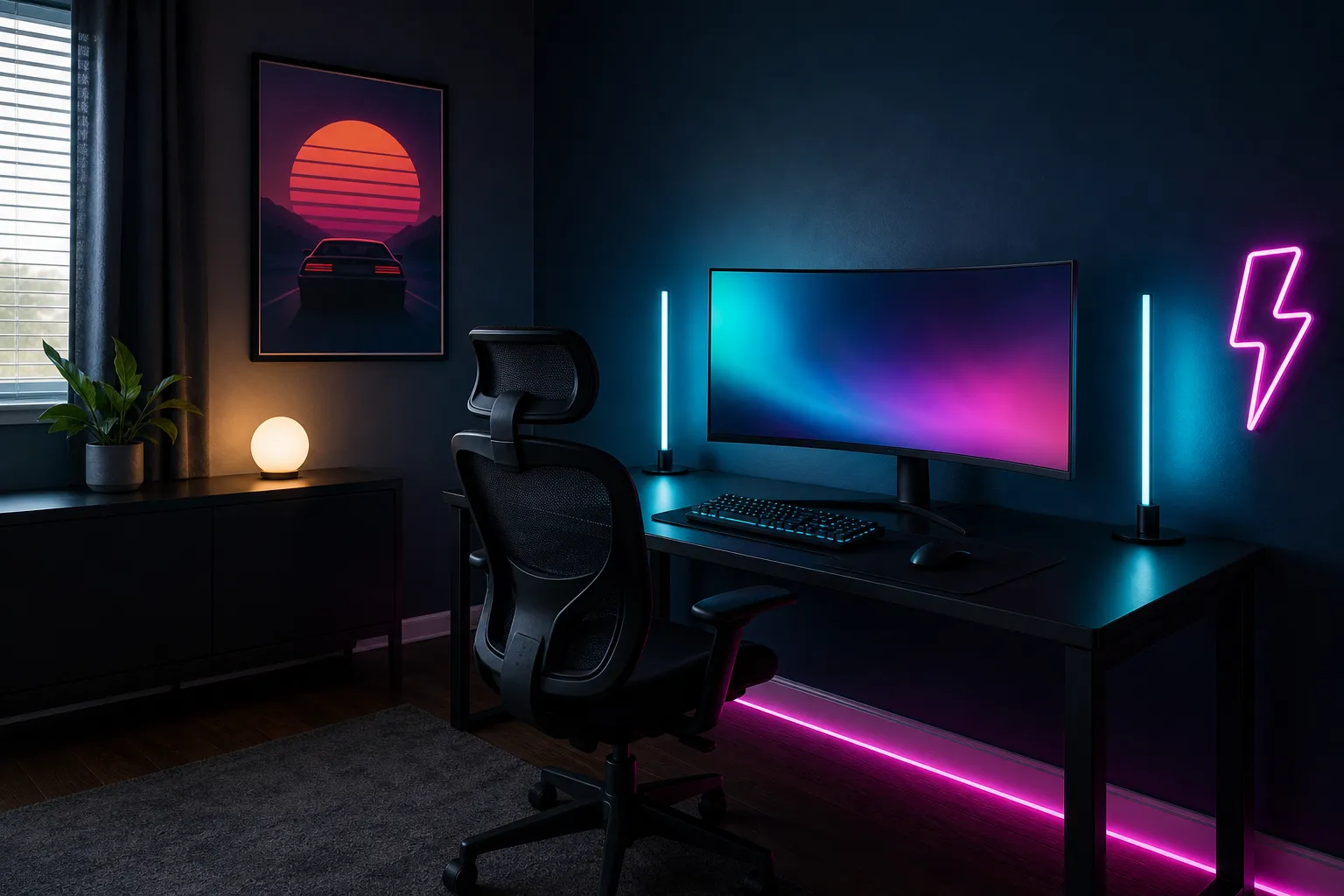
At this budget, think in layers. A good neon room has a light behind the screen, a light for the desk itself, a color wash on the walls and one feature piece that draws the eye. You can cover all four for under $250 if you keep each item in a sensible price band and resist buying RGB versions of everything you already own.
How to split $250
A rough shape that works for most rooms:
- Bias lighting behind the screen: under $25. A simple strip is enough here.
- RGBIC strip for walls or the ceiling line: $25–50. This is where multi-color gradients earn their keep.
- Monitor light bar: $25–50. Lights your desk and keyboard without glare on the screen.
- Feature piece (wall panels or a neon-style sign): $50–100. The thing that makes the room look designed.
- Desk mat and small extras: under $25 each.
If you already have a decent desk light, move that money to the feature piece. If your room is large, put more into wall-wash lighting and less into the sign.
The four layers
1. Bias lighting
A strip around the back of the monitor or TV reduces the contrast between a bright screen and a dark wall, which is easier on your eyes. Set it to a single cool color, like teal or soft blue, at low brightness. Avoid rainbow effects here, since movement behind the screen is distracting.
2. Task light
A monitor light bar sits on top of the screen and throws light down onto the desk, not into your eyes or onto the display. Pick one with adjustable color temperature: warm white for evening, cooler white for daytime. It means you can keep the room dark and moody without fumbling for your keyboard.
3. Room wash
This is where your main neon color lives. Run an RGBIC strip along the top of the wall, behind a shelf, or under a bed frame. Because RGBIC strips can show several colors at once, you can set a slow pink-to-purple-to-teal gradient that looks far more polished than one flat color.
4. Feature piece
Hex or line wall panels, or a neon-style LED sign, give the room a focal point. Place it where you look most, or, if you stream or video call, where the camera sees it: just over your shoulder, slightly off center. Keep it a step dimmer than your face light so it doesn’t blow out on camera.
Color pairings that hold up
- Pink + teal: high contrast, classic retro look. Use one at about 70% and the other as an accent.
- Purple + cyan: softer, cooler and easier to live with every night.
- Magenta + amber: a warmer sunset look for bedrooms.
- Single color + warm white: for a calmer room, one neon accent with warm white task light still reads as “neon” without being loud.
Stick to two main colors plus one bridging color. Set every light in the room to the same palette, even if they come from different brands.
Apps and sync
At this budget you’ll likely end up with two or three apps. A few tips:
- Where possible, buy lights from the same brand or ecosystem so they share one app and can run scenes together.
- Check whether lights support a smart-home platform you already use. Voice control saves you opening three apps to change the mood.
- Music and screen sync are fun but optional. Many people set them up once and go back to a static scene.
Placement and brightness
- Aim strips at surfaces, not at your eyes. Bounced light looks smoother and hides the dots.
- Run wall-wash strips a few inches from the wall when you can, so the glow spreads.
- Keep the feature piece and wall wash at 30–60% brightness. Neon looks best in a dim room, not a bright one.
- Use a diffuser channel for any strip you can see directly.
Renter-friendly mounting
- Clean with isopropyl alcohol first, then let it dry.
- Use painter’s tape under adhesive strips on painted walls.
- Wall panels are heavier than strips. Use the mounting tape they come with, or removable mounting strips rated for the weight, and press firmly for the time the instructions say.
- Check the adhesive guidance for fresh paint. Many manufacturers suggest waiting a couple of weeks after painting.
Cables and power
More lights means more plugs. Plan for it:
- Mount a surge-protected power bar under the desk so plugs aren’t on the floor.
- Route cables down one desk leg with hook-and-loop ties, then into a stick-on cable channel along the baseboard.
- For wall pieces, run the cable straight down to the outlet and cover it with a paintable cable channel.
- Label power adapters with a bit of tape so you know which brick belongs to which light.
Safety basics
- Don’t cover strips or power bricks with fabric, and leave adapters somewhere with airflow.
- Only cut strips at marked lines and don’t exceed the power supply’s rated length.
- Avoid daisy-chaining power bars.
- Choose listings with clear electrical certification such as UL, ETL or CSA.
Next steps
Once the layers are in, upgrades are about refinement: screen-sync lighting, a second feature piece or a full desk refresh. The under-$500 guide covers those, and the best LED lights guide explains which specs matter.